Kingdom Rush 6: Genesis TD

Kingdom Rush 6: Genesis TD

Strategy

| Ironhide Games

Play on PC with BlueStacks or from our cloud

Click here to Pre-Register for Kingdom Rush 6: Genesis TD
  • Overview
  • Features
  • How to Play

Page Modified On: June 29, 2026

Play Kingdom Rush 6: Genesis TD on PC or Mac

Play Kingdom Rush 6: Genesis TD by Ironhide Games on PC or Mac with BlueStacks. Use a bigger screen, mouse and keyboard controls, and smoother performance while you play.

About the Game

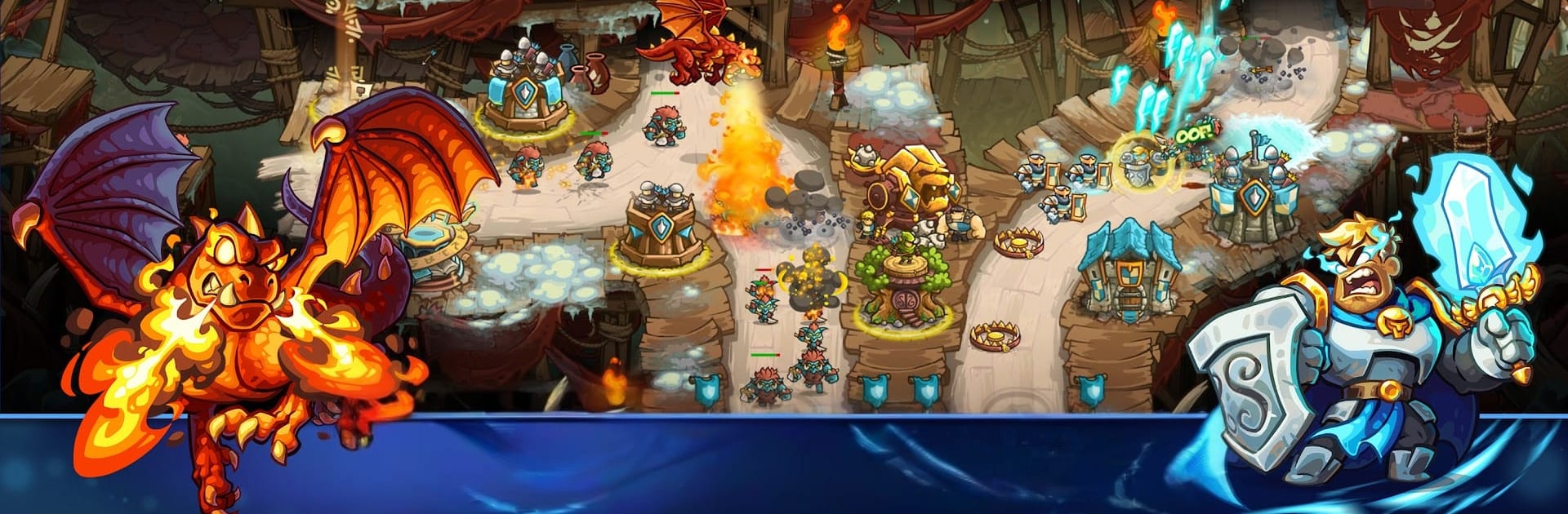
Kingdom Rush 6: Genesis TD is a Strategy tower defense adventure set at the very start of Linirea’s history. You’re trying to shut down a rising menace before it becomes a legend, juggling sharp tower placement, hero timing, and a bag of tricky spells to hold the line. It’s that classic Kingdom Rush feel—fast, punchy, and tactical—with fresh systems that keep every stage interesting.

Game Features

  • Origins of a saga: Travel back to where it all began, meet early versions of familiar allies, and witness the choices that set a certain young sorcerer on a dangerous path.
  • 15 distinct towers: Archers, mages, barracks, artillery—each brings a specialty, and the real fun is in how you layer them to shut down lanes and crack tough waves.
  • Two-hero squads: Take two heroes into battle, pair their skills, and swap focus on the fly to plug leaks or burst bosses.
  • Nine clutch spells: Build a custom loadout and time your big moments—meteor storms, instant reinforcements, crowd control—exactly when the pressure spikes.
  • Flexible upgrade trees: Every tower, hero, and spell has its own progression. Respec between stages, try wild builds, and settle on what clicks for your playstyle.
  • 18 handcrafted stages: Fight across the Citadel, the stormy depths, and distant Arcania. Expect 40+ enemy types across five factions and six screen-filling bosses.
  • Lore and laughs: More story threads, playful callbacks, and that tongue-in-cheek tone the series is known for.
  • Extra challenge: Tougher modes for veterans, 50+ achievements to chase, and sneaky easter eggs tucked around the map.
  • Offline anywhere: No connection needed—great for quick runs on the go or long sessions.
  • Optional PC play: Prefer a bigger screen and precise clicks? It runs smoothly on BlueStacks.

Ready to top the leaderboard? We bet you do. Let precise controls and sharp visuals optimized on BlueStacks lead you to victory.


Features

  • Macros

    Skip the boring parts of a game. Play Kingdom Rush 6: Genesis TD with Macros and get the edge. Simply record a sequence of commands and execute them at any moment.

  • Multi Instance

    Why limit to one game on your phone when you can play many on your PC? Open multiple instances of Kingdom Rush 6: Genesis TD at once with Multi-Instance. Leverage the power of different accounts by doing more.

  • Multi Instance Sync

    Get the best out of Kingdom Rush 6: Genesis TD with Multi-Instance Sync. Play the game from different accounts and build your own empire. Use Multi-instance sync to repeat the action in the main BlueStacks instance on all other instances.

  • Eco Mode

    Find the rarest heroes by making multiple summons in Kingdom Rush 6: Genesis TD. And while you are at it, reduce your PC’s resource consumption with the Eco Mode. Farm efficiently. Get the best results.

How to Download and Play Kingdom Rush 6: Genesis TD on PC or Mac

  • Download and install BlueStacks on your PC or Mac

  • Complete Google sign-in to access the Play Store, or do it later

  • Look for Kingdom Rush 6: Genesis TD in the search bar at the top right corner

  • Click to install Kingdom Rush 6: Genesis TD from the search results

  • Complete Google sign-in (if you skipped step 2) to install Kingdom Rush 6: Genesis TD

  • Click the Kingdom Rush 6: Genesis TD icon on the home screen to start playing

video
Watch Video

Minimum System Requirements

With BlueStacks 5, you can get started on a PC that fulfills the following requirements.

  • Operating System

    Microsoft Windows 7 or above, macOS 11 (Big Sur) or above

  • Processor

    Intel, AMD or Apple Silicon Processor

  • RAM

    at least 4GB

  • HDD

    10GB Free Disk Space

Note:

* You must be an Administrator on your PC. Up to date graphics drivers from Microsoft or the chipset vendor.

Exclusive Gaming Content. And More.

Get the latest updates on the BlueStacks Blog.

See More
Kingdom Rush 6: Genesis TD

Be among the first to play Kingdom Rush 6: Genesis TD on PC

Get notified when the Game launches

Kingdom Rush 6: Genesis TD - FAQs

  • How to play Kingdom Rush 6: Genesis TD on Windows PC & Mac?

    Play Kingdom Rush 6: Genesis TD on your PC or Mac by following these simple steps.

    • Click on 'Play Kingdom Rush 6: Genesis TD on PC’ to download BlueStacks
    • Install it and log-in to Google Play Store
    • Launch and play the game.
  • Why is BlueStacks the fastest and safest platform to play games on PC?

    BlueStacks respects your privacy and is always safe and secure to use. It does not carry any malware, spyware, or any sort of additional software that could harm your PC.

    It is engineered to optimize speed and performance for a seamless gaming experience.

  • What are Kingdom Rush 6: Genesis TD PC requirements?

    Minimum requirement to run Kingdom Rush 6: Genesis TD on your PC

    • OS: Microsoft Windows 7 or above MacOS 11 (Big Sur) or above
    • Processor: Intel, AMD or Apple Silicon Processor
    • RAM: Your PC must have at least 4GB of RAM. (Note that having 4GB or more disk space is not a substitute for RAM)
    • HDD: 10GB Free Disk Space.
    • You must be an Administrator on your PC.