Pocket Forts Defense TD

Pocket Forts Defense TD

Strategy

| PAMPAM TOV

Play on PC with BlueStacks or from our cloud

  • Overview
  • Game Features
  • How to Play

Page Modified On: October 21, 2026

Play Pocket Forts Defense TD on PC or Mac

Pocket Forts Defense TD by PAMPAM TOV has plenty to keep you busy. BlueStacks lets you play it on PC or Mac with more screen space, better control, and fewer mobile limits.

About the Game

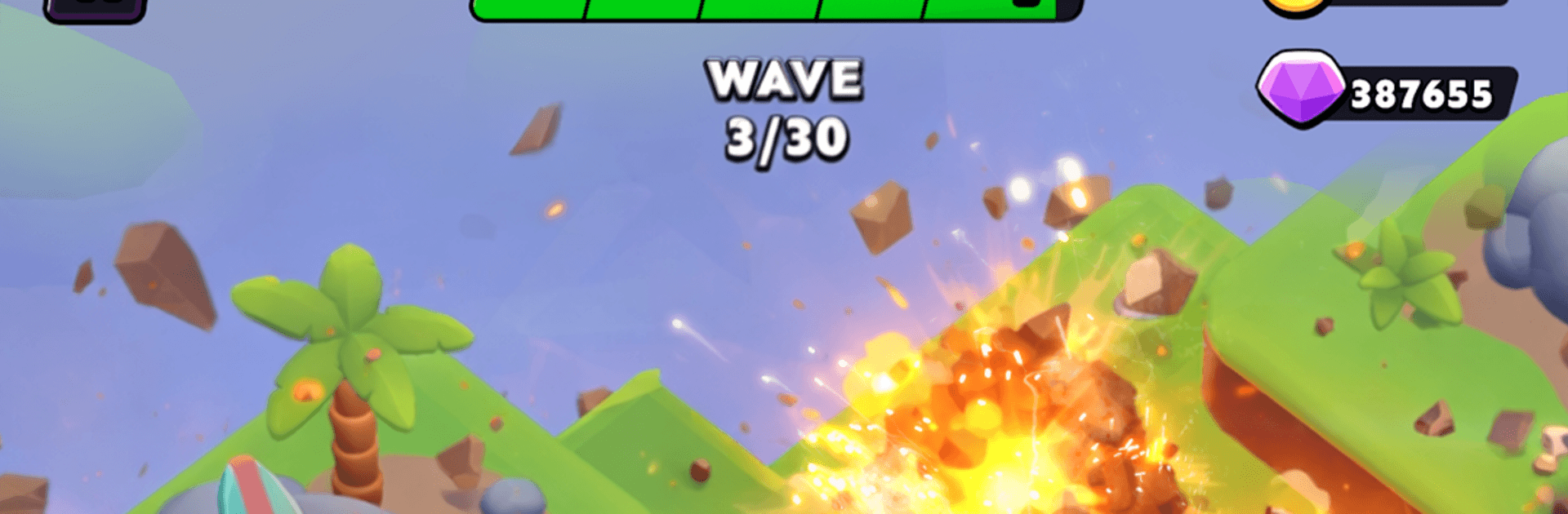
Pocket Forts Defense TD is a fast, bite-size Strategy game where you build a compact fort, drop turrets, and fight off escalating waves that don’t let up. The arenas are tiny, the routes are obvious, and that’s what makes every placement feel tense and important. It’s perfect for quick runs or long streaks, and if you like playing on a bigger screen with smooth controls, BlueStacks is an easy fit.

Game Features

  • Small arenas, big decisions: Space is tight, paths are clear, and a single misplaced turret can cost you the run—precision matters.
  • Instant action, zero fluff: Jumps straight into the firefight so you can test layouts, retry fast, and keep the momentum going.
  • Enemies that turn up the heat: Each wave gets nastier—faster movers, bulkier brutes, and new mixes that force you to adapt on the fly.
  • Turret combos that click: Blend damage, slow, and support options to create layered defenses that shred, stall, and finish.
  • Chokepoints you control: Shape the route with smart positioning to funnel enemies into brutal kill zones.
  • Upgrades that feel great: Power up your favorite builds and watch your fort transform from scrappy to unstoppable.
  • Simple controls, real depth: Easy to place and upgrade, yet packed with timing, targeting, and coverage trade-offs.
  • Quick runs or high-score grinds: Jump in for a minute or push for a personal best—both playstyles are equally rewarding.
  • Learn, tweak, improve: Every loss teaches something—better timing, cleaner angles, tighter coverage—for a stronger next run.

Start playing Pocket Forts Defense TD on BlueStacks and get a smoother, more comfortable PC or Mac setup.


Game Features

Enhancements

  • Macros
  • Multi Instance
  • Multi Instance Sync
  • Eco Mode
  • Enhancements
Macros

Macros

Skip the boring parts of a game. Play Pocket Forts Defense TD with Macros and get the edge. Simply record a sequence of commands and execute them at any moment.
Multi Instance

Multi Instance

Why limit to one game on your phone when you can play many on your PC? Open multiple instances of Pocket Forts Defense TD at once with Multi-Instance. Leverage the power of different accounts by doing more.
Multi Instance Sync

Multi Instance Sync

Get the best out of Pocket Forts Defense TD with Multi-Instance Sync. Play the game from different accounts and build your own empire. Use Multi-instance sync to repeat the action in the main BlueStacks instance on all other instances.
Eco Mode

Eco Mode

Find the rarest heroes by making multiple summons in Pocket Forts Defense TD. And while you are at it, reduce your PC’s resource consumption with the Eco Mode. Farm efficiently. Get the best results.
Read More

How to Download and Play Pocket Forts Defense TD on PC or Mac

  • Download and install BlueStacks on your PC or Mac

  • Complete Google sign-in to access the Play Store, or do it later

  • Look for Pocket Forts Defense TD in the search bar at the top right corner

  • Click to install Pocket Forts Defense TD from the search results

  • Complete Google sign-in (if you skipped step 2) to install Pocket Forts Defense TD

  • Click the Pocket Forts Defense TD icon on the home screen to start playing

video
Watch Video

Minimum System Requirements

With BlueStacks 5, you can get started on a PC that fulfills the following requirements.

  • Operating System

    Microsoft Windows 7 or above, macOS 11 (Big Sur) or above

  • Processor

    Intel, AMD or Apple Silicon Processor

  • RAM

    at least 4GB

  • HDD

    10GB Free Disk Space

Note:

* You must be an Administrator on your PC. Up to date graphics drivers from Microsoft or the chipset vendor.

Pocket Forts Defense TD - FAQs

  • How to play Pocket Forts Defense TD on Windows PC & Mac?

    Play Pocket Forts Defense TD on your PC or Mac by following these simple steps.

    • Click on 'Play Pocket Forts Defense TD on PC’ to download BlueStacks
    • Install it and log-in to Google Play Store
    • Launch and play the game.
  • Why is BlueStacks the fastest and safest platform to play games on PC?

    BlueStacks respects your privacy and is always safe and secure to use. It does not carry any malware, spyware, or any sort of additional software that could harm your PC.

    It is engineered to optimize speed and performance for a seamless gaming experience.

  • What are Pocket Forts Defense TD PC requirements?

    Minimum requirement to run Pocket Forts Defense TD on your PC

    • OS: Microsoft Windows 7 or above MacOS 11 (Big Sur) or above
    • Processor: Intel, AMD or Apple Silicon Processor
    • RAM: Your PC must have at least 4GB of RAM. (Note that having 4GB or more disk space is not a substitute for RAM)
    • HDD: 10GB Free Disk Space.
    • You must be an Administrator on your PC.