




Upgrade your experience. Try NetSupport Manager Client, the fantastic Tools app from NetSupport Ltd, from the comfort of your laptop, PC, or Mac, only on BlueStacks.
About the App
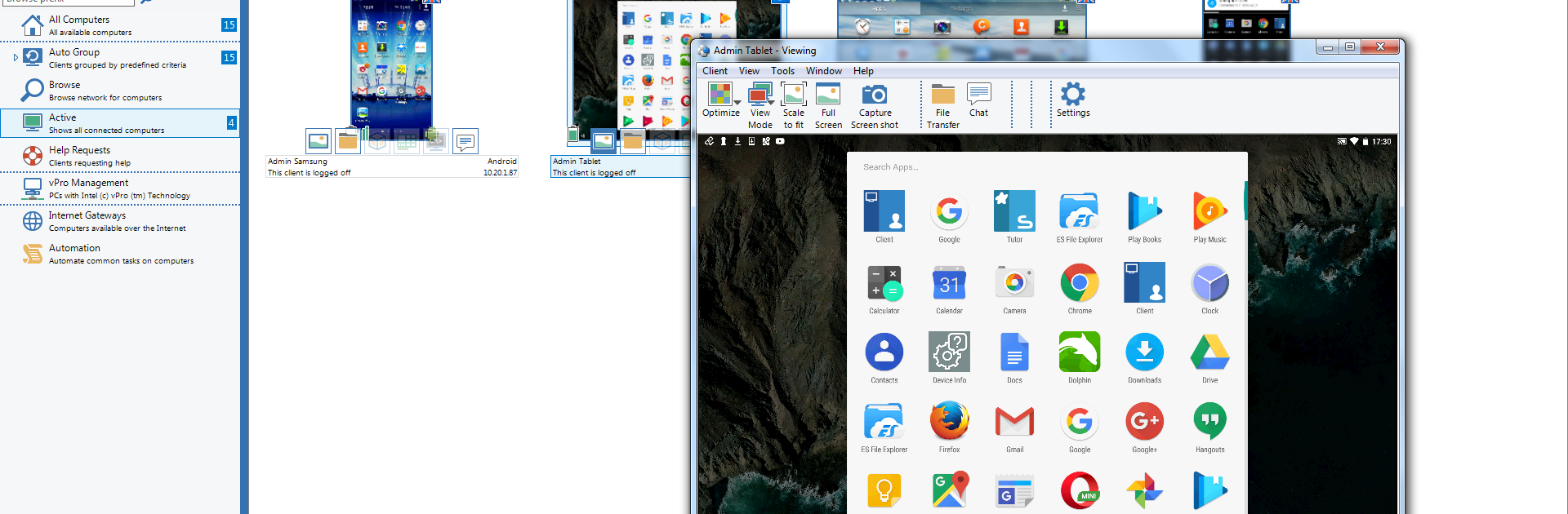
NetSupport Manager Client makes it easy for a NetSupport Manager Control user to connect to Android phones and tablets for real-time support. It’s built for teams that need quick, secure remote help without a lot of setup drama. Developed by NetSupport Ltd and listed under Tools, it’s the Android side of a proven remote control solution. Prefer working from a desktop? You can also install the Android client in BlueStacks for testing or lab setups.
App Features
-
PIN Connect
Share a simple code to create a fast, secure link between the Control and the Android device. The PIN Server (included with NetSupport Manager) runs on a Windows PC to handle those connections. -
Broadcast Messages
Send quick text announcements to one or many Client devices so everyone gets the memo at the same time. -
One-to-One and Group Chat
Start a private chat to troubleshoot an issue, or bring multiple devices into a group discussion when you need everyone aligned. -
File Transfer Both Ways
Move files to or from the Android device, whether it’s a log you need to review or a config file you want to push. -
Network and Battery Status
See Wi‑Fi details and battery levels for connected devices right from the Control, so you can spot problems early. -
Screen Capture
Grab screenshots during a session to document steps, share findings, or keep a record of what you’ve seen. -
Thumbnails and Zoom
View live thumbnails of connected devices, then zoom in on any one for a closer look when something needs attention. -
Watch or Share Mode
Quietly observe a device (Watch) or take interactive control (Share). Screen monitoring and control depend on device vendor support for these permissions. -
Licensing Friendly
Works with existing NetSupport Manager licenses (v12.50 or later), as long as you have available seats.
Switch to BlueStacks and make the most of your apps on your PC or Mac.





