How to Install and Play Last Fiefdom on PC with BlueStacks
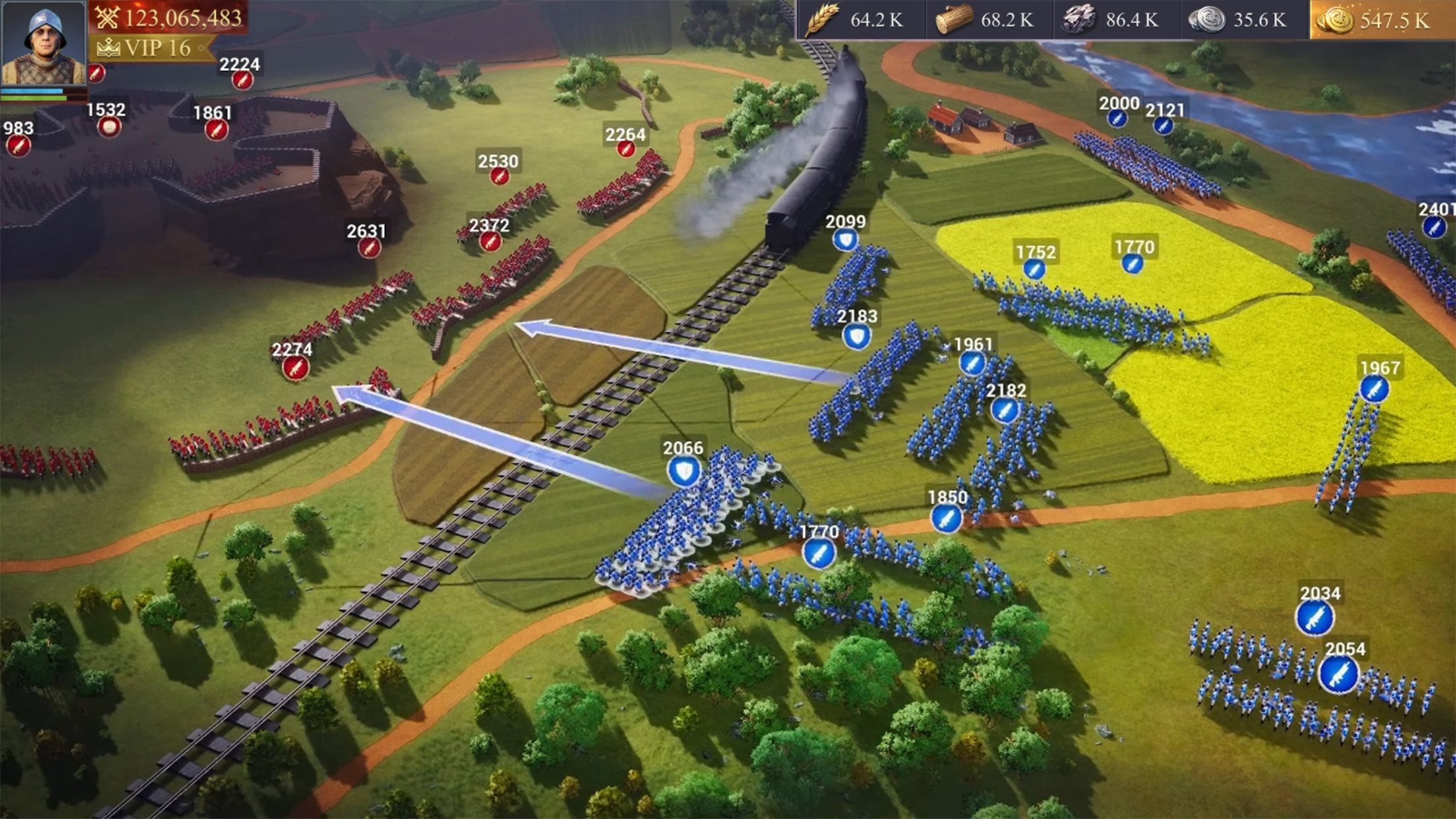

Last Fiefdom is a strategy game where powerful lords battle for control of a broken kingdom. The land is full of war, and every ruler wants to claim the throne. Your task is to build a strong fortress, train mighty dragons, and lead your army to victory.
In the game, you start by building your own citadel and defending it from enemies. You can upgrade walls, add powerful defenses, and prepare your base to survive large attacks. At the same time, you train troops, gather resources, and grow stronger with every upgrade.
Last Fiefdom also lets you work together with players from around the world. Alliances allow you to join massive battles, including huge 100-vs-100 castle fights. Planning attacks with your teammates is very important because timing and strategy can change the result of a battle.
You can also use spies and smart tactics to weaken enemy kingdoms before a fight begins. Careful planning, strong defenses, and powerful dragons will help you rise through the ranks and fight for the crown.
How to Install Last Fiefdom on PC
- Visit the game’s page and press the “Play Last Fiefdom on PC” button.
- Download the installer file and open it from your browser’s downloads folder.
- Install BlueStacks and launch the program on your PC or Mac.
- Log in to the Google Play Store, download Last Fiefdom, and start playing.
How to Install Last Fiefdom on Mac with BlueStacks Air
- Download BlueStacks Air: Open the game’s page and click the “Play Last Fiefdom on Mac” button to get the installer.
- Install BlueStacks Air: Double-click the BlueStacksInstaller.pkg file and follow the setup steps.
- Launch and Sign In: Open BlueStacks Air from the Applications folder or Launchpad and sign in with your Google account.
- Install Last Fiefdom: Search for the game in the Play Store and install it.
- Start the Game: Open Last Fiefdom and begin your adventure.
If You Already Have BlueStacks Installed
- Head to the game’s page and click the “Play Last Fiefdom on PC” button.
- Open BlueStacks on your PC or Mac.
- Install Last Fiefdom from the BlueStacks Store or the Google Play Store.
- Launch the game and jump straight into battle.
Minimum System Requirements
BlueStacks runs smoothly on most modern computers and works well even on many basic setups. To play Last Fiefdom comfortably, your system should meet these requirements:
- OS: Windows 7 or newer, macOS 11 (Big Sur) or newer
- Processor: Intel or AMD processor, or Apple Silicon chip (M1–M4)
- RAM: At least 4GB of RAM
- Storage: 10GB of free disk space
- Permissions: Administrator rights on your computer
- Graphics Drivers: Updated drivers from Microsoft or your hardware maker
Last Fiefdom is a great choice for players who enjoy large strategy battles and teamwork. The game mixes base building, dragon training, and alliance warfare in one big multiplayer experience. If you enjoy planning attacks, defending castles, and working with other players, this game has plenty to offer.
Playing Last Fiefdom on PC or Mac with BlueStacks can make the experience even better. A larger screen helps you see your city, armies, and battlefields more clearly. Keyboard and mouse controls can also make managing troops and building upgrades much easier than using touch controls on a phone.