Best Standoff 2 Season 11 Settings Guide for Competitive Play

Standoff 2 Season 11 continues to refine the competitive mobile FPS experience with fast gunplay, responsive controls, and highly customizable settings. Whether you are grinding ranked matches or simply trying to improve your aim consistency, having the right configuration can make a huge difference.
This guide covers the best Standoff 2 Season 11 settings for gameplay, graphics, controls, sensitivity, and crosshair customization. The goal is to create a setup that offers smooth performance, clear visibility, and precise aiming while remaining comfortable for long play sessions.
Best Gameplay Settings for Standoff 2 Season 11
Gameplay settings mostly affect interface clarity, weapon visibility, and overall quality-of-life features during matches. Optimizing these settings helps reduce distractions while improving visibility during firefights.
For competitive play, it is generally better to keep the HUD visible while enabling features that improve responsiveness and visual feedback.

Recommended gameplay settings:
- Region: Auto
- Language: System Language
- View Arms and Weapons: Classic
- HUD Visibility: Visible
- Switch to Picked Up Weapon: Enabled
- Hit Effects: Enabled
- In-Game Notifications: Optional based on preference
The “Classic” weapon view gives a more familiar FPS presentation, while visible HUD elements help maintain awareness during matches. Enabling hit effects also improves feedback when landing shots.
Best Video Settings for Standoff 2 Season 11
Graphics settings are extremely important in Standoff 2 because visibility and stable FPS directly impact reaction time and aiming precision. While higher graphics look better visually, maintaining smooth performance should always be the priority in competitive matches.
If your device can handle it, high graphical settings paired with stable 60 FPS provide the best overall experience. On weaker devices, lowering shader or effect details may help improve stability.

Recommended video settings:
- Shader Details: High
- Texture Details: High
- Effect Details: High
- Screen Resolution: High
- Anisotropic Filtering: 16X
- Target FPS: 60 FPS
Higher texture and shader quality improve enemy visibility and environmental clarity, while 60 FPS helps maintain smoother aiming and recoil control during firefights.
Best Control Settings for Standoff 2 Season 11
Control settings are where personal comfort matters most. Small sensitivity adjustments can drastically affect aiming consistency, flick shots, recoil management, and tracking.
The settings shown here aim to provide smooth camera movement without making the aim feel overly loose or unstable.

Recommended control settings:
- Sensitivity: 2.30
- Scope Sensitivity: 1.80
- Acceleration: 0.05
- Aim Smoothing: 0.00
Low acceleration helps maintain predictable aim movement, while disabling aim smoothing gives more direct control over crosshair positioning. Lower scope sensitivity also improves accuracy during long-range engagements.
Players should still make minor adjustments based on personal preference and screen size, but these settings provide a strong competitive baseline.
Best Crosshair Settings for Standoff 2 Season 11
Crosshair customization is one of the most important parts of improving aim consistency. A clean and visible crosshair makes target tracking easier without blocking visibility during fights.
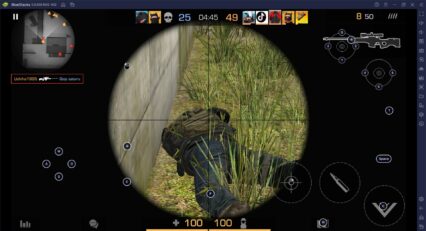
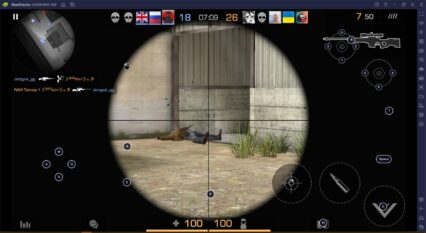
The screenshots use a very minimal setup with a small white dot crosshair, which is a popular choice among competitive FPS players because it stays precise and unobtrusive.


Recommended crosshair setup:
- Crosshair Type: Dot
- Color: White
- Transparency (Alpha): 1.00
- Point Size: 6.64
- Lines: Disabled
Using a simple dot crosshair helps improve focus during spray control and flick aiming. White also remains visible across most maps and lighting conditions.
If you prefer larger crosshairs for tracking, you can slightly increase point size, but keeping the design minimal usually works best for competitive gameplay.
Why These Settings Work Well in Season 11
Season 11 still heavily rewards precision aiming, fast reactions, and smooth movement. The recommended settings focus on three major goals:
- Maintaining stable FPS
- Improving visual clarity
- Creating predictable aiming behavior
A stable frame rate combined with responsive sensitivity settings often matters far more than flashy visual effects or overly complex HUD customization.
Many professional and high-ranked players also prefer simpler crosshairs and low aim acceleration because they provide more consistent muscle memory over time.

Playing Standoff 2 on BlueStacks gives players several advantages for competitive gameplay. Mouse and keyboard controls provide much greater aiming precision compared to touchscreen controls, while the larger display makes spotting enemies easier during intense firefights.
BlueStacks also helps maintain stable performance and smoother frame rates during ranked matches, especially when paired with optimized graphics settings like the ones in this guide. Combined with customizable controls and improved responsiveness, playing Standoff 2 on PC can significantly improve your overall gameplay experience.