Free Fire OB55 Ben 10 Event Release Time, Delayed Event Tab, and Glitch Fixes
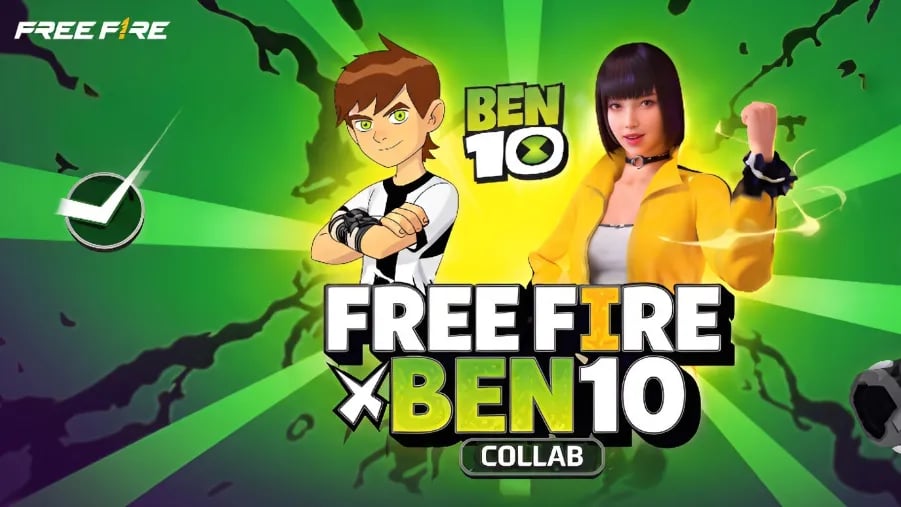
The Free Fire x Ben 10 collaboration is scheduled to arrive on November 30, 2026, during the OB55 update. However, players looking for the event in their game may not see a Ben 10 banner, countdown, or dedicated event tab yet.
That doesn’t necessarily mean something is wrong. The collaboration hasn’t launched, and Garena has not announced an exact activation time. Here’s what we know about the release schedule, why the event might not appear, and what to do if you encounter problems once it becomes available in Free Fire.

Free Fire OB55 Ben 10 Event Release Date and Time
Garena announced November 30, 2026, as the start date for the Ben 10 collaboration through its official Free Fire Brazil account. The announcement featured the Omnitrix and Cartoon Network branding, confirming the crossover.
However, the exact release time and event end date have not been announced.
Some earlier reports suggested an October 15 release, but that date came from leaks rather than an official announcement. Players should follow the November 30 schedule instead.

The collaboration is expected to take place during OB55. Details about individual event pages, rewards, and their availability are still subject to official confirmation.
Until Garena publishes more information, there’s no reliable reason to expect the event to appear at a particular hour or immediately after a daily reset.
Why Is the Ben 10 Event Tab Missing in Free Fire?
If you open Free Fire before November 30 and can’t find anything related to Ben 10, that isn’t evidence of a technical error. The event may simply not be available yet.
Even on the announced launch date, a missing tab could have several explanations. The event might not have opened on your server, its content might be scheduled separately, or the game might need to refresh its event information.
There are currently no confirmed reports establishing a widespread OB55 Ben 10 event-tab glitch. It’s important to check whether the event has officially launched in your region before treating a missing tab as a bug.

How to Fix a Delayed or Missing Ben 10 Event Tab
If Garena confirms that the event is live on your server but you still can’t access it, try these troubleshooting steps.
- Restart Free Fire: Close the game completely and reopen it to refresh the lobby and event information.
- Check for game updates: Visit your app store and install any available official Free Fire update.
- Check your internet connection: Switch between a reliable Wi-Fi connection and mobile data if the event page isn’t loading.
- Allow resources to finish downloading: If the game is still downloading content, wait until the process completes before checking the Events tab again.
- Check official server announcements: Confirm that the event is available in your region rather than relying on screenshots from another server.
These are general troubleshooting steps, not confirmed fixes for a specific Ben 10 bug. If the event hasn’t been activated on your server, restarting or reinstalling the game won’t unlock it early.
How to Troubleshoot Free Fire OB55 Ben 10 Event Glitches
Once the collaboration launches, players might encounter ordinary event-loading problems, such as blank pages, missing images, or buttons that don’t respond.
If that happens, first restart the game and check your connection. Make sure you’re running the latest available version and that any required game resources have finished downloading.
If an event page opens but a reward doesn’t appear, check whether the reward has a separate claim requirement or availability date. Don’t assume it’s a glitch until you’ve reviewed the event instructions.
Avoid repeatedly spending diamonds when a purchase appears stuck. If a transaction fails to display its reward, keep a record of the transaction and contact Garena support rather than trying the purchase again immediately.
Also avoid unofficial APKs or modified game files advertised as event fixes. They aren’t necessary for accessing legitimate Free Fire events and can introduce security or account risks.
Will the Ben 10 Event Be Delayed in Some Regions?
The November 30 date has been reported for the collaboration, but an exact activation schedule for every regional server has not been published.
Free Fire events can differ between servers in their availability, rewards, prices, and promotional schedules. As a result, seeing a Ben 10 event on another player’s account doesn’t automatically mean it should already be visible on yours.

Check announcements from the official Free Fire channels serving your region. Once the event is available, the in-game event calendar and countdowns should provide the most relevant information for your account.
There is no confirmed Ben 10-specific regional delay to report at this stage.
If you play Free Fire on PC with BlueStacks, the same event availability rules apply. BlueStacks cannot make a server-side event appear before Garena activates it.
If the event is confirmed live but its page won’t load, restart Free Fire, check for game updates through the Play Store, and make sure your internet connection is stable. You can also restart BlueStacks if the game itself is behaving unexpectedly.
For now, the best approach is to wait for the official November 30 launch and check your regional announcements. A missing Ben 10 tab before the event begins is not something you need to fix.