GMOD Bomb Test Sandbox

GMOD Bomb Test Sandbox

Action

| InGameDev Mobile

Play on PC with BlueStacks or from our cloud

  • Overview
  • Game Features
  • How to Play

Page Modified On: October 30, 2026

Play GMOD Bomb Test Sandbox on PC or Mac

GMOD Bomb Test Sandbox by InGameDev Mobile has plenty to keep you busy. BlueStacks lets you play it on PC or Mac with more screen space, better control, and fewer mobile limits.

About the Game

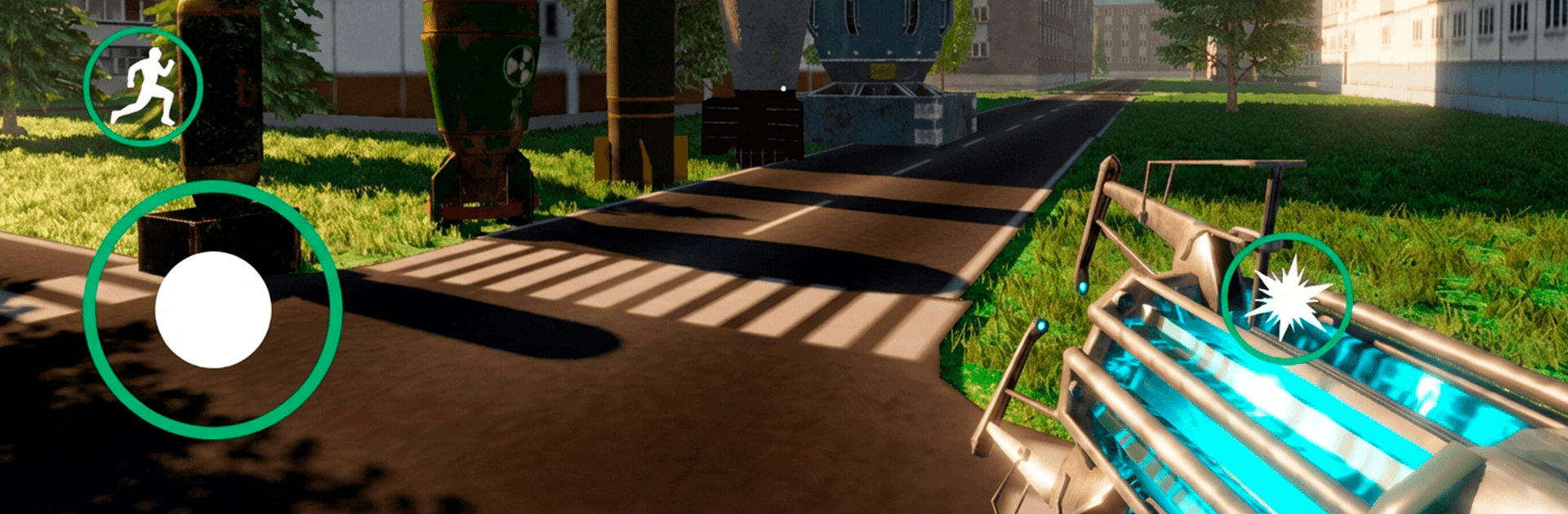
GMOD Bomb Test Sandbox hands you a powerful energy cannon and a toolbox of experimental explosives, then lets you go wild with physics. This Action sandbox is all about smart destruction—line up shots, read structural weak points, and watch entire builds buckle in the most satisfying ways. Prefer a bigger screen and precise controls? It runs great on PC with BlueStacks, too.

Game Features

  • Beam-Controlled Cannon: Use a precision beam to grab, reposition, and launch bombs, then fine-tune timing for perfect takedowns.
  • Meaningful Bomb Variety: Swap between sticky charges, heavy slammers, clusters, and more—each with its own arc, blast shape, and best-use case.
  • Physics That Drive the Fun: Buildings crumble, supports snap, and debris reacts believably, so every collapse tells a little story.
  • Aim Tools That Reward Skill: Adjust angle and power, learn trajectories, and squeeze maximum damage out of minimal shots.
  • Build It, Break It: Design custom city blocks in a flexible sandbox, reinforce or weaken structures, and stress-test your creations.
  • Structured Missions and Goals: Tackle handcrafted levels with clear objectives, tricky obstacles, and different paths to success.
  • Chain Reactions You Can Plan: Stack detonations, target weak points, and trigger cascading collapses that roll across the map.
  • Dynamic Explosions and Effects: Shockwaves, sparks, dust, and debris sell every blast without turning the screen into noise.
  • Environment Interaction: Nudge objects, shift weight, and set traps to make physics work for you, not against you.

Ready to top the leaderboard? We bet you do. Let precise controls and sharp visuals optimized on BlueStacks lead you to victory.


Game Features

Enhancements

  • Macros
  • Multi Instance
  • Multi Instance Sync
  • Eco Mode
  • Enhancements
Macros

Macros

Skip the boring parts of a game. Play GMOD Bomb Test Sandbox with Macros and get the edge. Simply record a sequence of commands and execute them at any moment.
Multi Instance

Multi Instance

Why limit to one game on your phone when you can play many on your PC? Open multiple instances of GMOD Bomb Test Sandbox at once with Multi-Instance. Leverage the power of different accounts by doing more.
Multi Instance Sync

Multi Instance Sync

Get the best out of GMOD Bomb Test Sandbox with Multi-Instance Sync. Play the game from different accounts and build your own empire. Use Multi-instance sync to repeat the action in the main BlueStacks instance on all other instances.
Eco Mode

Eco Mode

Find the rarest heroes by making multiple summons in GMOD Bomb Test Sandbox. And while you are at it, reduce your PC’s resource consumption with the Eco Mode. Farm efficiently. Get the best results.
Read More

How to Download and Play GMOD Bomb Test Sandbox on PC or Mac

  • Download and install BlueStacks on your PC or Mac

  • Complete Google sign-in to access the Play Store, or do it later

  • Look for GMOD Bomb Test Sandbox in the search bar at the top right corner

  • Click to install GMOD Bomb Test Sandbox from the search results

  • Complete Google sign-in (if you skipped step 2) to install GMOD Bomb Test Sandbox

  • Click the GMOD Bomb Test Sandbox icon on the home screen to start playing

video
Watch Video

Minimum System Requirements

With BlueStacks 5, you can get started on a PC that fulfills the following requirements.

  • Operating System

    Microsoft Windows 7 or above, macOS 11 (Big Sur) or above

  • Processor

    Intel, AMD or Apple Silicon Processor

  • RAM

    at least 4GB

  • HDD

    10GB Free Disk Space

Note:

* You must be an Administrator on your PC. Up to date graphics drivers from Microsoft or the chipset vendor.

GMOD Bomb Test Sandbox - FAQs

  • How to play GMOD Bomb Test Sandbox on Windows PC & Mac?

    Play GMOD Bomb Test Sandbox on your PC or Mac by following these simple steps.

    • Click on 'Play GMOD Bomb Test Sandbox on PC’ to download BlueStacks
    • Install it and log-in to Google Play Store
    • Launch and play the game.
  • Why is BlueStacks the fastest and safest platform to play games on PC?

    BlueStacks respects your privacy and is always safe and secure to use. It does not carry any malware, spyware, or any sort of additional software that could harm your PC.

    It is engineered to optimize speed and performance for a seamless gaming experience.

  • What are GMOD Bomb Test Sandbox PC requirements?

    Minimum requirement to run GMOD Bomb Test Sandbox on your PC

    • OS: Microsoft Windows 7 or above MacOS 11 (Big Sur) or above
    • Processor: Intel, AMD or Apple Silicon Processor
    • RAM: Your PC must have at least 4GB of RAM. (Note that having 4GB or more disk space is not a substitute for RAM)
    • HDD: 10GB Free Disk Space.
    • You must be an Administrator on your PC.