Analog Horror Store Simulator

Analog Horror Store Simulator

Adventure

| lazyastronaut

Play on PC with BlueStacks or from our cloud

  • Overview
  • Game Features
  • How to Play

Page Modified On: July 27, 2026

Play Analog Horror Store Simulator on PC or Mac

Analog Horror Store Simulator by lazyastronaut has plenty to keep you busy. BlueStacks lets you play it on PC or Mac with more screen space, better control, and fewer mobile limits.

About the Game

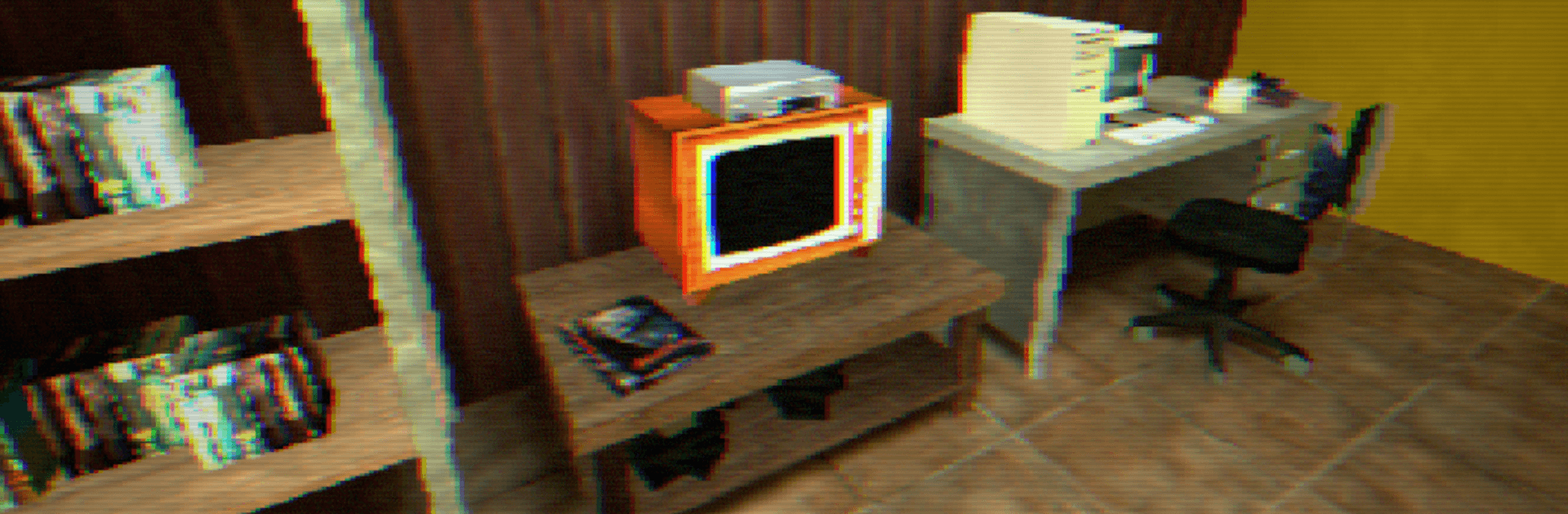
Analog Horror Store Simulator drops you into the graveyard shift at a worn-out VHS rental, where “easy money” turns unsettling fast. What starts as shelving tapes and tidying aisles becomes a creeping, slow-burn nightmare as the store itself begins to feel… wrong. It’s an Adventure wrapped in analog horror, built on routine, tension, and the nagging sense that something’s watching from the back room.

Game Features

  • First-Person Unease: Experience everything through your own eyes—the hum of old lights, the hush of empty aisles, and footsteps that don’t always match yours.
  • Night Shift Routine: Restock cases, rewind returns, clean up spills, and ring up late customers who get stranger as the hours crawl by.
  • Cursed Media: Each cassette might reveal a sliver of a larger mystery; the more you handle, the more reality seems to warp around the shelves.
  • Slow-Burn Tension: No cheap jumps every minute—dread builds through small changes, flickers, and details that weren’t there a moment ago.
  • Story Through the Store: Events unfold as you work; pay attention to ambient sounds, static-laced visuals, and clues tucked between aisles.
  • Minimal Distractions: A barebones interface keeps you grounded in the moment, not buried under menus and markers.
  • No Way to Fight Back: There are no weapons—just your tasks, your wits, and the long, unsettling hours until closing.
  • Retro VHS Vibe: Tape hiss, CRT fuzz, and analog distortion set a mood that feels authentically lo-fi and claustrophobic.
  • Best With Headphones: Directional audio and subtle cues reward careful listening when the store gets too quiet.
  • PC-Friendly via BlueStacks: Prefer keyboard controls and a bigger screen? Run it on BlueStacks and work the shift from your desk.

Get ready for a buttery smooth, high-performance gaming action only on BlueStacks.

Game Features

Enhancements

  • Macros
  • Multi Instance
  • Multi Instance Sync
  • Script
  • Enhancements
Macros

Macros

Automate the predictable in Analog Horror Store Simulator and transform your gameplay with Macros. Get access to inventive Macros in the BlueStacks Macro Community
Multi Instance

Multi Instance

Play Analog Horror Store Simulator on one window. And chat with your friend on the other. Press CTRL + Shift + 8 to open the Multi-Instance Manager. And start creating fresh instances or clone an existing one.
Multi Instance Sync

Multi Instance Sync

Play Analog Horror Store Simulator with the power of Multi-Instance Sync. Replicate what you are doing on the main instance on all other instances. Level up faster, play more.
Script

Script

Script your way to gaming glory in Analog Horror Store Simulator with BlueStacks Script. Write and run a set of commands to automate repeated tasks. Trigger the command by assigning it to any key.
Read More

How to Download and Play Analog Horror Store Simulator on PC or Mac

  • Download and install BlueStacks on your PC or Mac

  • Complete Google sign-in to access the Play Store, or do it later

  • Look for Analog Horror Store Simulator in the search bar at the top right corner

  • Click to install Analog Horror Store Simulator from the search results

  • Complete Google sign-in (if you skipped step 2) to install Analog Horror Store Simulator

  • Click the Analog Horror Store Simulator icon on the home screen to start playing

video
Watch Video

Minimum System Requirements

With BlueStacks 5, you can get started on a PC that fulfills the following requirements.

  • Operating System

    Microsoft Windows 7 or above, macOS 11 (Big Sur) or above

  • Processor

    Intel, AMD or Apple Silicon Processor

  • RAM

    at least 4GB

  • HDD

    10GB Free Disk Space

Note:

* You must be an Administrator on your PC. Up to date graphics drivers from Microsoft or the chipset vendor.

Analog Horror Store Simulator - FAQs

  • How to play Analog Horror Store Simulator on Windows PC & Mac?

    Play Analog Horror Store Simulator on your PC or Mac by following these simple steps.

    • Click on 'Play Analog Horror Store Simulator on PC’ to download BlueStacks
    • Install it and log-in to Google Play Store
    • Launch and play the game.
  • Why is BlueStacks the fastest and safest platform to play games on PC?

    BlueStacks respects your privacy and is always safe and secure to use. It does not carry any malware, spyware, or any sort of additional software that could harm your PC.

    It is engineered to optimize speed and performance for a seamless gaming experience.

  • What are Analog Horror Store Simulator PC requirements?

    Minimum requirement to run Analog Horror Store Simulator on your PC

    • OS: Microsoft Windows 7 or above MacOS 11 (Big Sur) or above
    • Processor: Intel, AMD or Apple Silicon Processor
    • RAM: Your PC must have at least 4GB of RAM. (Note that having 4GB or more disk space is not a substitute for RAM)
    • HDD: 10GB Free Disk Space.
    • You must be an Administrator on your PC.