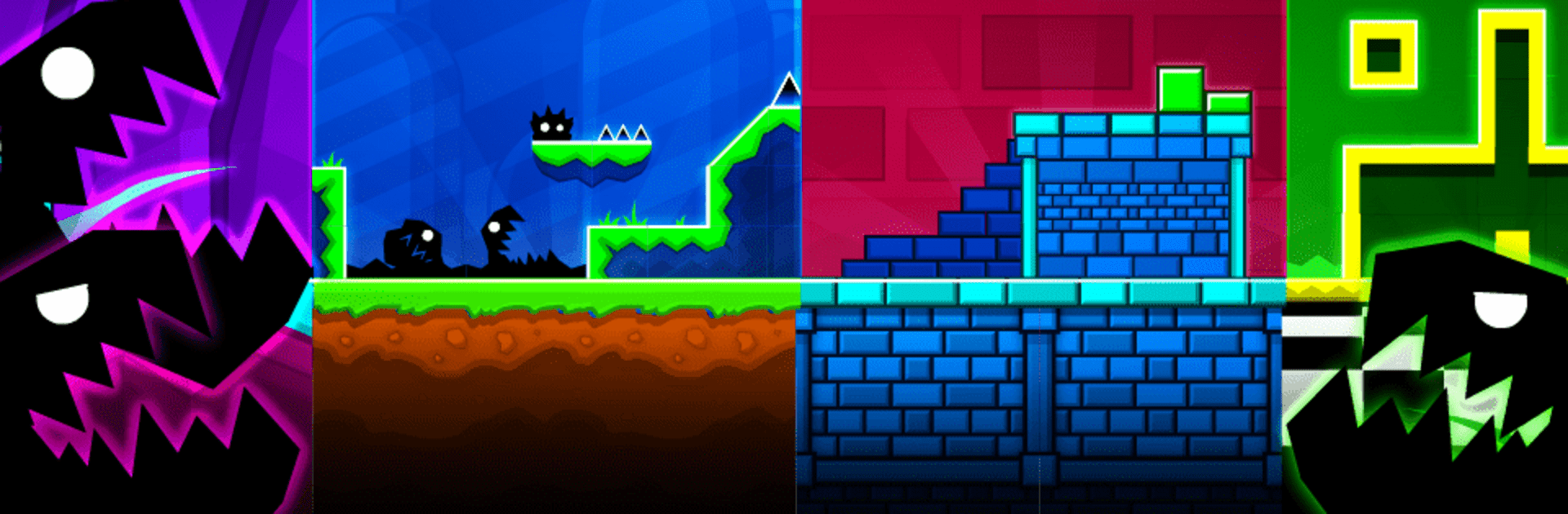
Geometry Dash
Geometry Dash

Geometry Dash

Arcade

| RobTop Games

BlueStacks Verified

Play on PC with BlueStacks or from our cloud

  • Overview
  • Game Features
  • How to Play

Page Modified On: April 07, 2026

Play Geometry Dash on PC or Mac

Explore a whole new adventure with Geometry Dash, a Arcade game created by RobTop Games. Experience great gameplay with BlueStacks, the most popular gaming platform to play Android games on your PC or Mac.

About the Game

Geometry Dash turns rhythm into a high-speed obstacle course. In this Arcade standout from RobTop Games, you guide a tiny shape through spikes, portals, and sudden twists while everything syncs to pounding music. It’s fast, brutally fair, and wildly addictive—you’ll crash a bunch, grin, and hit retry before the beat drops again.

Game Features

  • Rhythm-powered runs: Levels are built around their soundtracks, so learning the beat is half the strategy and all the fun.
  • One-tap precision: Simple controls keep the focus on timing and muscle memory, not menus or clutter.
  • Lots of stages, lots of songs: Tackle a bunch of uniquely scored levels, each with patterns and traps to memorize.
  • Create and share: Build your own stages with the level editor and show them off to the community.
  • Wild twists: Pilot rockets, flip gravity, and warp through portals—the rules can change in an instant.
  • Practice without pressure: Use Practice Mode with checkpoints to master nasty sections before going for a clean run.
  • Make it yours: Unlock icons, trails, and colors to personalize your cube, ship, and more.
  • Pure challenge, no paywalls: No in-app purchases here—every win is earned, not bought.
  • Goals to chase: Stack up achievements and rewards as you clear tough songs and nail perfect timings.
  • PC-friendly option: Prefer a bigger screen or custom keymapping? It plays smoothly on BlueStacks, too.

Make your gaming sessions memorable with precise controls that give you an edge in close combats and visuals that pop up, bringing every character to life.

Game Features

Enhancements

  • Macros
  • Multi Instance
  • Multi Instance Sync
  • Script
  • Enhancements
Macros

Macros

Automate the predictable in Geometry Dash and transform your gameplay with Macros. Get access to inventive Macros in the BlueStacks Macro Community
Multi Instance

Multi Instance

Play Geometry Dash on one window. And chat with your friend on the other. Press CTRL + Shift + 8 to open the Multi-Instance Manager. And start creating fresh instances or clone an existing one.
Multi Instance Sync

Multi Instance Sync

Play Geometry Dash with the power of Multi-Instance Sync. Replicate what you are doing on the main instance on all other instances. Level up faster, play more.
Script

Script

Script your way to gaming glory in Geometry Dash with BlueStacks Script. Write and run a set of commands to automate repeated tasks. Trigger the command by assigning it to any key.
Read More

How to Download and Play Geometry Dash on PC or Mac

  • Download and install BlueStacks on your PC or Mac

  • Complete Google sign-in to access the Play Store, or do it later

  • Look for Geometry Dash in the search bar at the top right corner

  • Click to install Geometry Dash from the search results

  • Complete Google sign-in (if you skipped step 2) to install Geometry Dash

  • Click the Geometry Dash icon on the home screen to start playing

video
Watch Video

Minimum System Requirements

With BlueStacks 5, you can get started on a PC that fulfills the following requirements.

  • Operating System

    Microsoft Windows 7 or above, macOS 11 (Big Sur) or above

  • Processor

    Intel, AMD or Apple Silicon Processor

  • RAM

    at least 4GB

  • HDD

    10GB Free Disk Space

Note:

* You must be an Administrator on your PC. Up to date graphics drivers from Microsoft or the chipset vendor.

Geometry Dash - FAQs

  • How to play Geometry Dash on Windows PC & Mac?

    Play Geometry Dash on your PC or Mac by following these simple steps.

    • Click on 'Play Geometry Dash on PC’ to download BlueStacks
    • Install it and log-in to Google Play Store
    • Launch and play the game.
  • Why is BlueStacks the fastest and safest platform to play games on PC?

    BlueStacks respects your privacy and is always safe and secure to use. It does not carry any malware, spyware, or any sort of additional software that could harm your PC.

    It is engineered to optimize speed and performance for a seamless gaming experience.

  • What are Geometry Dash PC requirements?

    Minimum requirement to run Geometry Dash on your PC

    • OS: Microsoft Windows 7 or above MacOS 11 (Big Sur) or above
    • Processor: Intel, AMD or Apple Silicon Processor
    • RAM: Your PC must have at least 4GB of RAM. (Note that having 4GB or more disk space is not a substitute for RAM)
    • HDD: 10GB Free Disk Space.
    • You must be an Administrator on your PC.