Restore the Hood
Restore the Hood

Restore the Hood

Arcade

| Ketchapp

Play on PC with BlueStacks or from our cloud

  • Overview
  • Game Features
  • How to Play

Page Modified On: May 05, 2026

Play Restore the Hood on PC or Mac

Step into the World of Restore the Hood, a thrilling Arcade game from the house of Ketchapp. Play this Android game on BlueStacks App Player and experience immersive gaming on PC or Mac.

About the Game

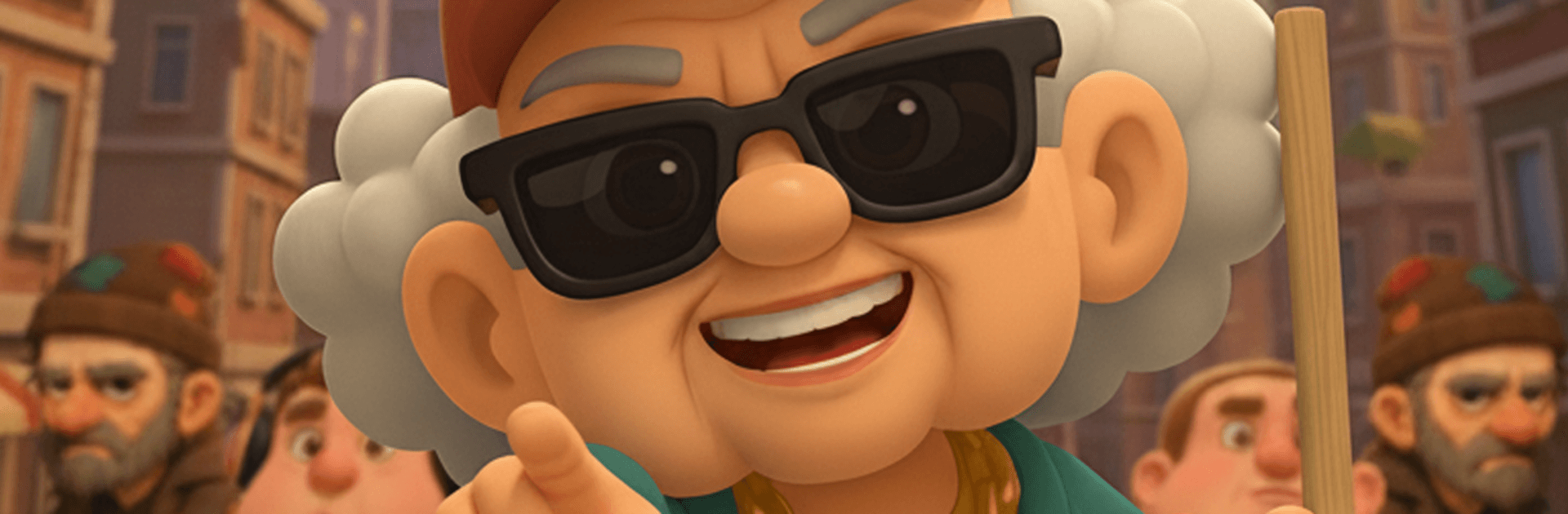
Restore the Hood puts you in charge of the boldest neighborhood makeover imaginable—starring a no-nonsense granny with serious hustle. This Arcade project from Ketchapp blends quick-clean action with smart upgrades and city-building vibes. You’ll scoop up junk, grab loot, and flip run-down corners into cash-making spots while your influence spreads block by block.

Game Features

  • Street Makeover With Muscle: Sweep trash, clear debris, and reclaim busted lots one corner at a time. Each cleanup opens new spots to build and profit.
  • From Scraps to Cash: Scavenge resources and snag loot across the map, then pour it all into upgrades that keep the money rolling in.
  • Hotels That Hustle: Turn ruins into a chain of hotels and other moneymakers, then power them up to boost income and unlock handy perks.
  • Money Smarts Matter: Balance what you collect with what you invest. Time your upgrades, optimize routes, and watch your revenue curve climb.
  • Open Up the Map: Unlock fresh districts, new features, and bigger expansion zones as your reputation grows.
  • Quick Sessions, Real Momentum: Great for short bursts or longer runs. A slick mix of idle gains and active play means progress doesn’t stall.
  • Easy Controls, Zero Fuss: Straightforward movement and interactions keep the focus on planning your empire, not wrestling with menus.
  • Big Attitude, Bigger Paydays: This isn’t soft and cozy—it’s fast, cheeky, and a little chaotic. Clean up, build out, and out-hustle the streets your way.
  • Plays Nicely on PC: Prefer a bigger screen and keyboard? Restore the Hood runs smoothly on BlueStacks while keeping that pick-up-and-play feel.

Start your journey now. Download the game on BlueStacks, invite your friends, and march on a new adventure.


Game Features

Enhancements

  • Macros
  • Multi Instance
  • Multi Instance Sync
  • Script
  • Enhancements
Macros

Macros

Automate the predictable in Restore the Hood and transform your gameplay with Macros. Get access to inventive Macros in the BlueStacks Macro Community
Multi Instance

Multi Instance

Play Restore the Hood on one window. And chat with your friend on the other. Press CTRL + Shift + 8 to open the Multi-Instance Manager. And start creating fresh instances or clone an existing one.
Multi Instance Sync

Multi Instance Sync

Play Restore the Hood with the power of Multi-Instance Sync. Replicate what you are doing on the main instance on all other instances. Level up faster, play more.
Script

Script

Script your way to gaming glory in Restore the Hood with BlueStacks Script. Write and run a set of commands to automate repeated tasks. Trigger the command by assigning it to any key.
Read More

How to Download and Play Restore the Hood on PC or Mac

  • Download and install BlueStacks on your PC or Mac

  • Complete Google sign-in to access the Play Store, or do it later

  • Look for Restore the Hood in the search bar at the top right corner

  • Click to install Restore the Hood from the search results

  • Complete Google sign-in (if you skipped step 2) to install Restore the Hood

  • Click the Restore the Hood icon on the home screen to start playing

video
Watch Video

Minimum System Requirements

With BlueStacks 5, you can get started on a PC that fulfills the following requirements.

  • Operating System

    Microsoft Windows 7 or above, macOS 11 (Big Sur) or above

  • Processor

    Intel, AMD or Apple Silicon Processor

  • RAM

    at least 4GB

  • HDD

    10GB Free Disk Space

Note:

* You must be an Administrator on your PC. Up to date graphics drivers from Microsoft or the chipset vendor.

Restore the Hood - FAQs

  • How to play Restore the Hood on Windows PC & Mac?

    Play Restore the Hood on your PC or Mac by following these simple steps.

    • Click on 'Play Restore the Hood on PC’ to download BlueStacks
    • Install it and log-in to Google Play Store
    • Launch and play the game.
  • Why is BlueStacks the fastest and safest platform to play games on PC?

    BlueStacks respects your privacy and is always safe and secure to use. It does not carry any malware, spyware, or any sort of additional software that could harm your PC.

    It is engineered to optimize speed and performance for a seamless gaming experience.

  • What are Restore the Hood PC requirements?

    Minimum requirement to run Restore the Hood on your PC

    • OS: Microsoft Windows 7 or above MacOS 11 (Big Sur) or above
    • Processor: Intel, AMD or Apple Silicon Processor
    • RAM: Your PC must have at least 4GB of RAM. (Note that having 4GB or more disk space is not a substitute for RAM)
    • HDD: 10GB Free Disk Space.
    • You must be an Administrator on your PC.