WOTH Europe: Try & Buy

WOTH Europe: Try & Buy

Simulation

| HandyGames

Play on PC with BlueStacks or from our cloud

Click here to Pre-Register for WOTH Europe: Try & Buy
  • Overview
  • Features
  • How to Play

Page Modified On: January 02, 2026

Play WOTH Europe: Try & Buy on PC or Mac

WOTH Europe: Try & Buy brings the Simulation genre to life, and throws up exciting challenges for gamers. Developed by HandyGames, this Android game is best experienced on BlueStacks, the World’s #1 app player for PC and Mac users.

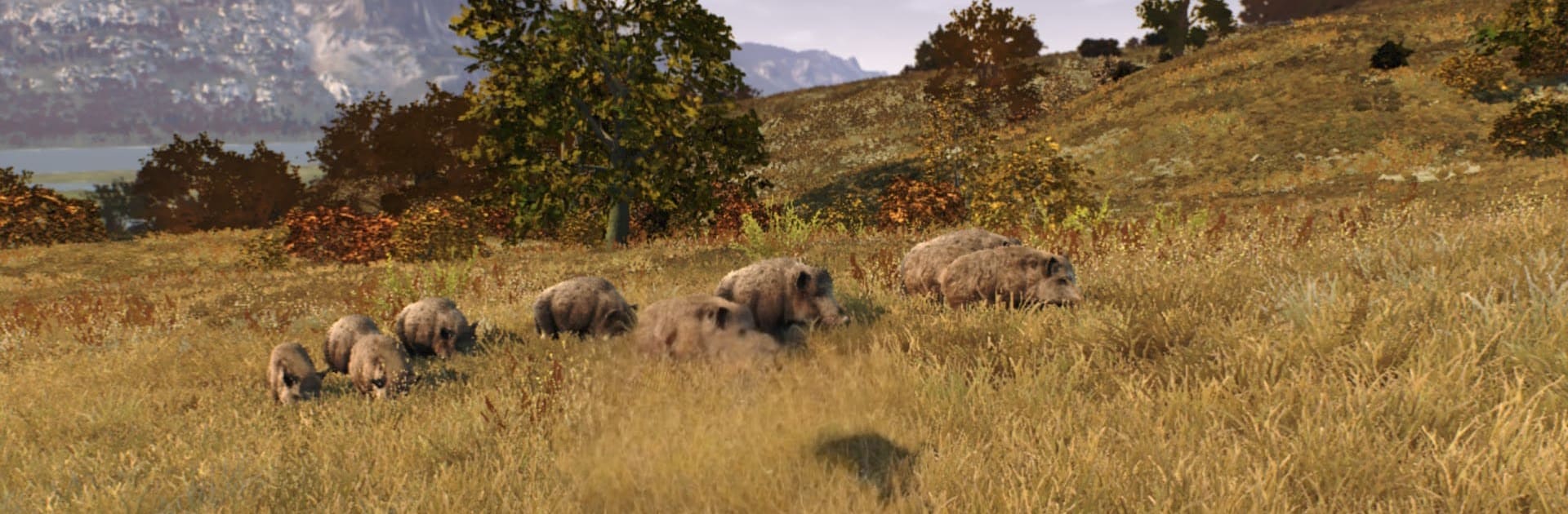
WOTH Europe: Try & Buy drops players into Transylvania and lets them roam a huge slice of Eastern Europe that feels rough, quiet, and a bit intimidating in a good way. Mountains, misty forests, wide grasslands, all packed with wildlife that does not just stand around. Red deer push through valleys, chamois cling to cliffs, boar root around in the brush, and every so often a brown bear shows up and the heart rate goes up fast. There are around fifteen species, including mouflon, golden jackals, and even graylag geese, so it is not the same hunt over and over.

It plays like a thoughtful hunting sim. Wind matters, tracks matter, time of day matters. Shots have drop and drift, so lining up a clean hit feels earned. The tools help without turning it into an arcade. Hunter Sense highlights clues, blood trail analysis keeps the tracking clear, and the rewindable bullet cam is nerdy but satisfying to study. Players can follow a light story or just wander and pick targets, sell trophies, and use the cash to buy passes, new optics, and licensed rifles. The photo mode is solid for showing off a sunrise from some ridge.

On PC with BlueStacks, the mouse makes aiming steady and the gamepad support works if someone prefers that. It starts as a timed tryout, then it lets players decide if the slower, methodical style is their thing before upgrading.

Start your journey now. Download the game on BlueStacks, invite your friends, and march on a new adventure.


Features

  • Macros

    Automate the predictable in WOTH Europe: Try & Buy and transform your gameplay with Macros. Get access to inventive Macros in the BlueStacks Macro Community

  • Multi Instance

    Play WOTH Europe: Try & Buy on one window. And chat with your friend on the other. Press CTRL + Shift + 8 to open the Multi-Instance Manager. And start creating fresh instances or clone an existing one.

  • Multi Instance Sync

    Play WOTH Europe: Try & Buy with the power of Multi-Instance Sync. Replicate what you are doing on the main instance on all other instances. Level up faster, play more.

  • Script

    Script your way to gaming glory in WOTH Europe: Try & Buy with BlueStacks Script. Write and run a set of commands to automate repeated tasks. Trigger the command by assigning it to any key.

How to Download and Play WOTH Europe: Try & Buy on PC or Mac

  • Download and install BlueStacks on your PC or Mac

  • Complete Google sign-in to access the Play Store, or do it later

  • Look for WOTH Europe: Try & Buy in the search bar at the top right corner

  • Click to install WOTH Europe: Try & Buy from the search results

  • Complete Google sign-in (if you skipped step 2) to install WOTH Europe: Try & Buy

  • Click the WOTH Europe: Try & Buy icon on the home screen to start playing

video
Watch Video

Minimum System Requirements

With BlueStacks 5, you can get started on a PC that fulfills the following requirements.

  • Operating System

    Microsoft Windows 7 or above, macOS 11 (Big Sur) or above

  • Processor

    Intel, AMD or Apple Silicon Processor

  • RAM

    at least 4GB

  • HDD

    10GB Free Disk Space

Note:

* You must be an Administrator on your PC. Up to date graphics drivers from Microsoft or the chipset vendor.

Exclusive Gaming Content. And More.

Get the latest updates on the BlueStacks Blog.

See More
WOTH Europe: Try & Buy

Be among the first to play WOTH Europe: Try & Buy on PC

Get notified when the Game launches

WOTH Europe: Try & Buy - FAQs

  • How to play WOTH Europe: Try & Buy on Windows PC & Mac?

    Play WOTH Europe: Try & Buy on your PC or Mac by following these simple steps.

    • Click on 'Play WOTH Europe: Try & Buy on PC’ to download BlueStacks
    • Install it and log-in to Google Play Store
    • Launch and play the game.
  • Why is BlueStacks the fastest and safest platform to play games on PC?

    BlueStacks respects your privacy and is always safe and secure to use. It does not carry any malware, spyware, or any sort of additional software that could harm your PC.

    It is engineered to optimize speed and performance for a seamless gaming experience.

  • What are WOTH Europe: Try & Buy PC requirements?

    Minimum requirement to run WOTH Europe: Try & Buy on your PC

    • OS: Microsoft Windows 7 or above MacOS 11 (Big Sur) or above
    • Processor: Intel, AMD or Apple Silicon Processor
    • RAM: Your PC must have at least 4GB of RAM. (Note that having 4GB or more disk space is not a substitute for RAM)
    • HDD: 10GB Free Disk Space.
    • You must be an Administrator on your PC.