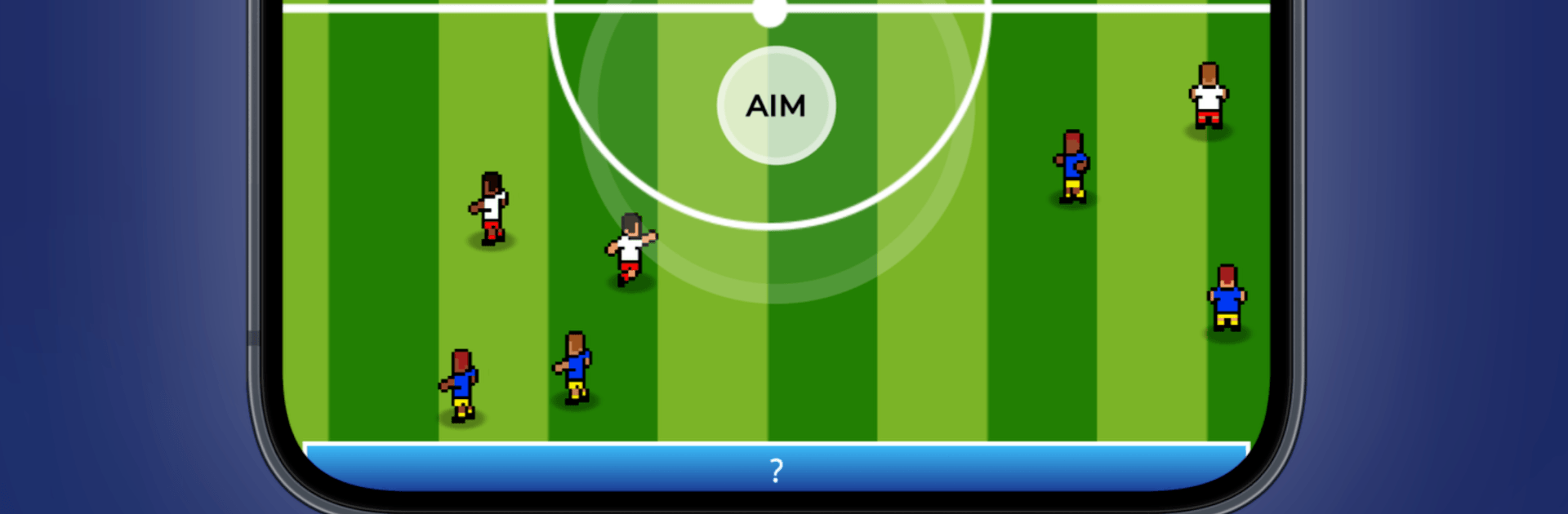
Ultimate Star: Soccer Legend

Ultimate Star: Soccer Legend

Sports

| Games2rk

Play on PC with BlueStacks or from our cloud

  • Overview
  • Game Features
  • How to Play

Page Modified On: August 17, 2026

Play Ultimate Star: Soccer Legend on PC or Mac

Step into the World of Ultimate Star: Soccer Legend, a thrilling Sports game from the house of Games2rk. Play this Android game on BlueStacks App Player and experience immersive gaming on PC or Mac.

About the Game

Ultimate Star: Soccer Legend hands you the boots and the spotlight, letting you live out the full arc of a pro’s journey. This Sports title blends match-day intensity with off-the-pitch choices, so every pass, training drill, and career call actually matters. Prefer playing on a desktop? It runs smoothly on BlueStacks without making a big deal about it.

Game Features

  • Total Career Control: Start as a promising newcomer and steer your rise—pick clubs, weigh transfer offers, and handle the buzz that follows big performances.
  • On-Pitch Impact: Make every touch count with goals, assists, clever through-balls, and clutch interventions that swing tight games your way.
  • Deep Training System: Hit targeted drills to boost finishing, passing, dribbling, pace, vision, and overall game IQ—build the kind of player you want to be.
  • Club-Building Influence: Work with the backroom staff to shape tactics, strengthen weak spots, and bring in talent that fits your style.
  • Rivalries and Storylines: Feel the heat of intense derbies, chase records, and navigate headlines that change based on how you play.
  • Trophies and Glory: Battle for league titles, domestic cups, and continental honors while chasing the sport’s biggest individual accolades.
  • Play Your Way: Craft a ruthless poacher feared in the box—or become the creative engine who dictates tempo and unlocks defenses.
  • Season-to-Season Drama: Each year tells its own story, with your choices reshaping your path, your reputation, and the legacy you leave behind.

Get ready for a buttery smooth, high-performance gaming action only on BlueStacks.

Game Features

Enhancements

  • Macros
  • Multi Instance
  • Multi Instance Sync
  • Script
  • Enhancements
Macros

Macros

Automate the predictable in Ultimate Star: Soccer Legend and transform your gameplay with Macros. Get access to inventive Macros in the BlueStacks Macro Community
Multi Instance

Multi Instance

Play Ultimate Star: Soccer Legend on one window. And chat with your friend on the other. Press CTRL + Shift + 8 to open the Multi-Instance Manager. And start creating fresh instances or clone an existing one.
Multi Instance Sync

Multi Instance Sync

Play Ultimate Star: Soccer Legend with the power of Multi-Instance Sync. Replicate what you are doing on the main instance on all other instances. Level up faster, play more.
Script

Script

Script your way to gaming glory in Ultimate Star: Soccer Legend with BlueStacks Script. Write and run a set of commands to automate repeated tasks. Trigger the command by assigning it to any key.
Read More

How to Download and Play Ultimate Star: Soccer Legend on PC or Mac

  • Download and install BlueStacks on your PC or Mac

  • Complete Google sign-in to access the Play Store, or do it later

  • Look for Ultimate Star: Soccer Legend in the search bar at the top right corner

  • Click to install Ultimate Star: Soccer Legend from the search results

  • Complete Google sign-in (if you skipped step 2) to install Ultimate Star: Soccer Legend

  • Click the Ultimate Star: Soccer Legend icon on the home screen to start playing

video
Watch Video

Minimum System Requirements

With BlueStacks 5, you can get started on a PC that fulfills the following requirements.

  • Operating System

    Microsoft Windows 7 or above, macOS 11 (Big Sur) or above

  • Processor

    Intel, AMD or Apple Silicon Processor

  • RAM

    at least 4GB

  • HDD

    10GB Free Disk Space

Note:

* You must be an Administrator on your PC. Up to date graphics drivers from Microsoft or the chipset vendor.

Ultimate Star: Soccer Legend - FAQs

  • How to play Ultimate Star: Soccer Legend on Windows PC & Mac?

    Play Ultimate Star: Soccer Legend on your PC or Mac by following these simple steps.

    • Click on 'Play Ultimate Star: Soccer Legend on PC’ to download BlueStacks
    • Install it and log-in to Google Play Store
    • Launch and play the game.
  • Why is BlueStacks the fastest and safest platform to play games on PC?

    BlueStacks respects your privacy and is always safe and secure to use. It does not carry any malware, spyware, or any sort of additional software that could harm your PC.

    It is engineered to optimize speed and performance for a seamless gaming experience.

  • What are Ultimate Star: Soccer Legend PC requirements?

    Minimum requirement to run Ultimate Star: Soccer Legend on your PC

    • OS: Microsoft Windows 7 or above MacOS 11 (Big Sur) or above
    • Processor: Intel, AMD or Apple Silicon Processor
    • RAM: Your PC must have at least 4GB of RAM. (Note that having 4GB or more disk space is not a substitute for RAM)
    • HDD: 10GB Free Disk Space.
    • You must be an Administrator on your PC.