Battle of Moscow
Battle of Moscow

Battle of Moscow

Strategy

| Joni Nuutinen

Play on PC with BlueStacks or from our cloud

  • Overview
  • Game Features
  • How to Play

Page Modified On: July 14, 2026

Play Battle of Moscow on PC or Mac

Battle of Moscow brings the Strategy genre to life, and throws up exciting challenges for gamers. Developed by Joni Nuutinen, this Android game is best experienced on BlueStacks, the World’s #1 app player for PC and Mac users.

About the Game

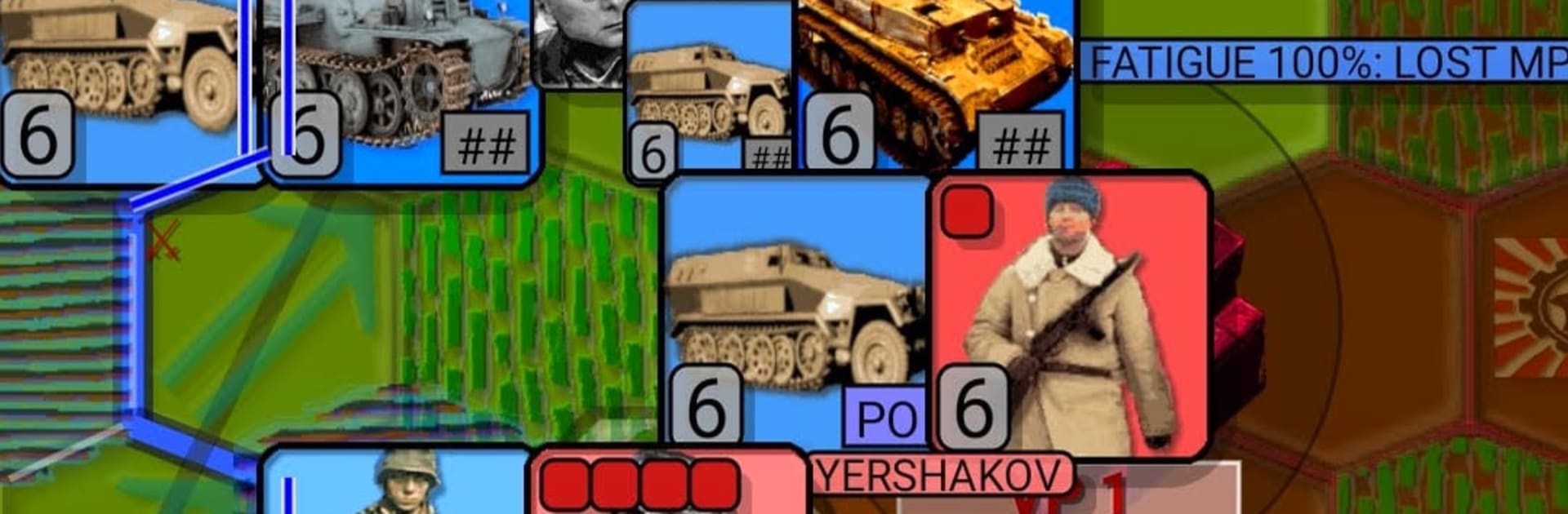
Battle of Moscow drops you into the brutal push and pull around the Soviet capital in 1941. It’s a hex-based Strategy experience where every turn asks for real decisions—press the attack, shore up a flank, or wait out the weather that turns roads into soup and rivers into walls. It’s deliberate, tense, and surprisingly personal once your hard‑won gains start freezing over.

Game Features

  • Operation Typhoon campaign: Fight through a focused 1941 scenario that captures the historic drive toward Moscow, complete with shifting fronts and timely reinforcements.
  • Turn-based, hex warfare: Plan your moves, coordinate armor with infantry and artillery, and line up breakthroughs before the cold locks everything down.
  • Weather and terrain matter: Mud slows advances, ice stiffens defenses, and river crossings become knife-edge moments you’ll remember.
  • Smart opposition: The AI probes, flanks, and tries to encircle stragglers instead of just charging straight at objectives.
  • Built for replay: Variable setups and different routes to success keep runs fresh, with a Hall of Fame if you’re chasing high scores.
  • Pick up and play: Save mid-turn, step away, and return later without losing the thread of your campaign.
  • Deep customization: Tune difficulty, animation speed, and hex size; switch between NATO or realistic unit icons; choose city styles; toggle map layers to your liking.
  • Scales to your screen: Plays comfortably on phones and tablets, and also feels great on a bigger display with BlueStacks.

Get ready for a buttery smooth, high-performance gaming action only on BlueStacks.

Game Features

Enhancements

  • Macros
  • Multi Instance
  • Multi Instance Sync
  • Eco Mode
  • Enhancements
Macros

Macros

Skip the boring parts of a game. Play Battle of Moscow with Macros and get the edge. Simply record a sequence of commands and execute them at any moment.
Multi Instance

Multi Instance

Why limit to one game on your phone when you can play many on your PC? Open multiple instances of Battle of Moscow at once with Multi-Instance. Leverage the power of different accounts by doing more.
Multi Instance Sync

Multi Instance Sync

Get the best out of Battle of Moscow with Multi-Instance Sync. Play the game from different accounts and build your own empire. Use Multi-instance sync to repeat the action in the main BlueStacks instance on all other instances.
Eco Mode

Eco Mode

Find the rarest heroes by making multiple summons in Battle of Moscow. And while you are at it, reduce your PC’s resource consumption with the Eco Mode. Farm efficiently. Get the best results.
Read More

How to Download and Play Battle of Moscow on PC or Mac

  • Download and install BlueStacks on your PC or Mac

  • Complete Google sign-in to access the Play Store, or do it later

  • Look for Battle of Moscow in the search bar at the top right corner

  • Click to install Battle of Moscow from the search results

  • Complete Google sign-in (if you skipped step 2) to install Battle of Moscow

  • Click the Battle of Moscow icon on the home screen to start playing

video
Watch Video

Minimum System Requirements

With BlueStacks 5, you can get started on a PC that fulfills the following requirements.

  • Operating System

    Microsoft Windows 7 or above, macOS 11 (Big Sur) or above

  • Processor

    Intel, AMD or Apple Silicon Processor

  • RAM

    at least 4GB

  • HDD

    10GB Free Disk Space

Note:

* You must be an Administrator on your PC. Up to date graphics drivers from Microsoft or the chipset vendor.

Battle of Moscow - FAQs

  • How to play Battle of Moscow on Windows PC & Mac?

    Play Battle of Moscow on your PC or Mac by following these simple steps.

    • Click on 'Play Battle of Moscow on PC’ to download BlueStacks
    • Install it and log-in to Google Play Store
    • Launch and play the game.
  • Why is BlueStacks the fastest and safest platform to play games on PC?

    BlueStacks respects your privacy and is always safe and secure to use. It does not carry any malware, spyware, or any sort of additional software that could harm your PC.

    It is engineered to optimize speed and performance for a seamless gaming experience.

  • What are Battle of Moscow PC requirements?

    Minimum requirement to run Battle of Moscow on your PC

    • OS: Microsoft Windows 7 or above MacOS 11 (Big Sur) or above
    • Processor: Intel, AMD or Apple Silicon Processor
    • RAM: Your PC must have at least 4GB of RAM. (Note that having 4GB or more disk space is not a substitute for RAM)
    • HDD: 10GB Free Disk Space.
    • You must be an Administrator on your PC.