Medieval Battles Online

Medieval Battles Online

Strategy

| BestiaGames

Play on PC with BlueStacks or from our cloud

  • Overview
  • Game Features
  • How to Play

Page Modified On: July 14, 2026

Play Medieval Battles Online on PC or Mac

Play Medieval Battles Online by BestiaGames on PC or Mac with BlueStacks. Use a bigger screen, mouse and keyboard controls, and smoother performance while you play.

About the Game

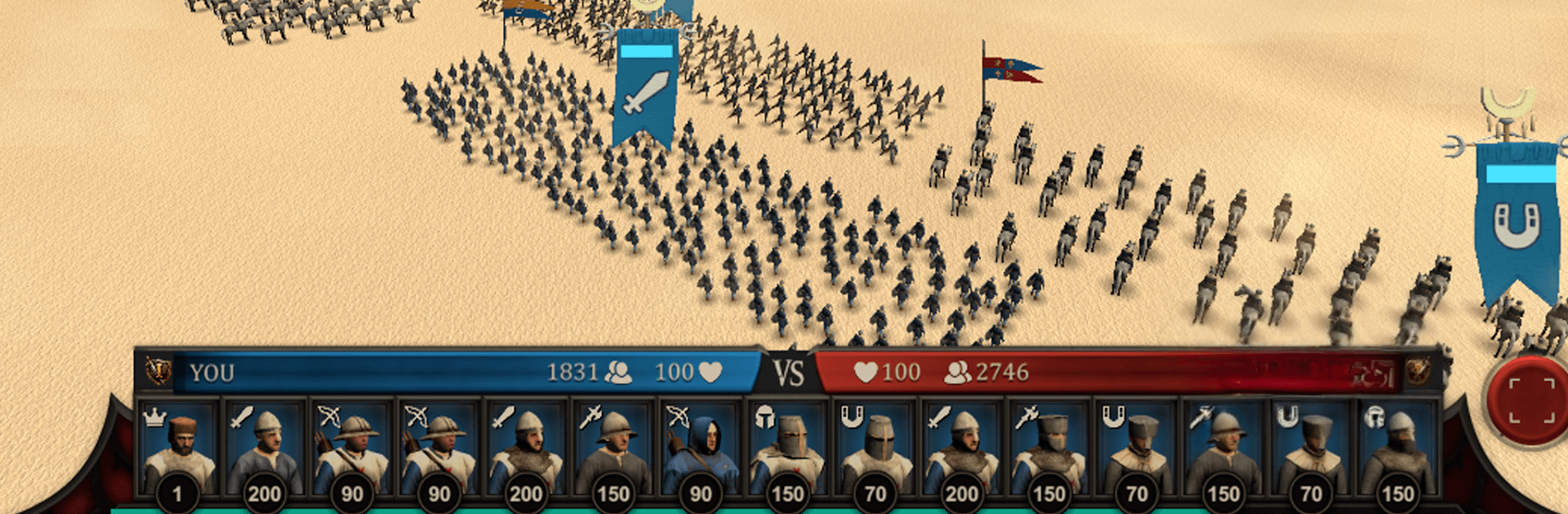
Medieval Battles Online is a Strategy game built around big, noisy clashes and razor‑sharp decision-making. You’re not just dropping units onto a map—you’re crafting battle plans, reading opponents, and earning your place on a competitive ladder. Expect tight 1v1 matchups, massive medieval armies that actually feel heavy on the field, and a ranking journey that shows off your progress in style. Playing on PC with BlueStacks also feels great if you want snappier controls.

Game Features

  • Ranked Journey
    Climb through 10 distinct tiers, from fresh-faced Novice to full-on Master. Early ranks soften the blow of a loss, but once you’re established, every match has real stakes and meaningful point swings.

  • Smart Matchmaking
    Face opponents who match your skill, with bigger rewards for beating stronger rivals—and harsher penalties if you drop a game to someone below you.

  • Army Variety
    Field swordsmen, archers, knights, and cavalry, then mix formations and counters to break lines, bait charges, or set up clean flanks.

  • Physics-Driven Battles
    Watch thousands of units collide and jostle in real time. Positioning matters, timing matters, and chaotic moments can swing a fight.

  • Skill Over Spending
    No pay-to-win gimmicks here. Success comes from planning, scouting, and smart micro, not your wallet.

  • Private Duels
    Create a room, invite friends, and experiment without risking ranked points. Perfect for testing that weird formation you swear will work.

  • Offline Skirmishes
    No connection? Practice against a capable AI and refine your builds anywhere.

  • Global Leaderboards
    Track your rise and see where you stand worldwide, with a clear path for dedicated players to break into the Top 100.

Get ready for a buttery smooth, high-performance gaming action only on BlueStacks.

Game Features

Enhancements

  • Macros
  • Multi Instance
  • Multi Instance Sync
  • Eco Mode
  • Enhancements
Macros

Macros

Skip the boring parts of a game. Play Medieval Battles Online with Macros and get the edge. Simply record a sequence of commands and execute them at any moment.
Multi Instance

Multi Instance

Why limit to one game on your phone when you can play many on your PC? Open multiple instances of Medieval Battles Online at once with Multi-Instance. Leverage the power of different accounts by doing more.
Multi Instance Sync

Multi Instance Sync

Get the best out of Medieval Battles Online with Multi-Instance Sync. Play the game from different accounts and build your own empire. Use Multi-instance sync to repeat the action in the main BlueStacks instance on all other instances.
Eco Mode

Eco Mode

Find the rarest heroes by making multiple summons in Medieval Battles Online. And while you are at it, reduce your PC’s resource consumption with the Eco Mode. Farm efficiently. Get the best results.
Read More

How to Download and Play Medieval Battles Online on PC or Mac

  • Download and install BlueStacks on your PC or Mac

  • Complete Google sign-in to access the Play Store, or do it later

  • Look for Medieval Battles Online in the search bar at the top right corner

  • Click to install Medieval Battles Online from the search results

  • Complete Google sign-in (if you skipped step 2) to install Medieval Battles Online

  • Click the Medieval Battles Online icon on the home screen to start playing

video
Watch Video

Minimum System Requirements

With BlueStacks 5, you can get started on a PC that fulfills the following requirements.

  • Operating System

    Microsoft Windows 7 or above, macOS 11 (Big Sur) or above

  • Processor

    Intel, AMD or Apple Silicon Processor

  • RAM

    at least 4GB

  • HDD

    10GB Free Disk Space

Note:

* You must be an Administrator on your PC. Up to date graphics drivers from Microsoft or the chipset vendor.

Medieval Battles Online - FAQs

  • How to play Medieval Battles Online on Windows PC & Mac?

    Play Medieval Battles Online on your PC or Mac by following these simple steps.

    • Click on 'Play Medieval Battles Online on PC’ to download BlueStacks
    • Install it and log-in to Google Play Store
    • Launch and play the game.
  • Why is BlueStacks the fastest and safest platform to play games on PC?

    BlueStacks respects your privacy and is always safe and secure to use. It does not carry any malware, spyware, or any sort of additional software that could harm your PC.

    It is engineered to optimize speed and performance for a seamless gaming experience.

  • What are Medieval Battles Online PC requirements?

    Minimum requirement to run Medieval Battles Online on your PC

    • OS: Microsoft Windows 7 or above MacOS 11 (Big Sur) or above
    • Processor: Intel, AMD or Apple Silicon Processor
    • RAM: Your PC must have at least 4GB of RAM. (Note that having 4GB or more disk space is not a substitute for RAM)
    • HDD: 10GB Free Disk Space.
    • You must be an Administrator on your PC.