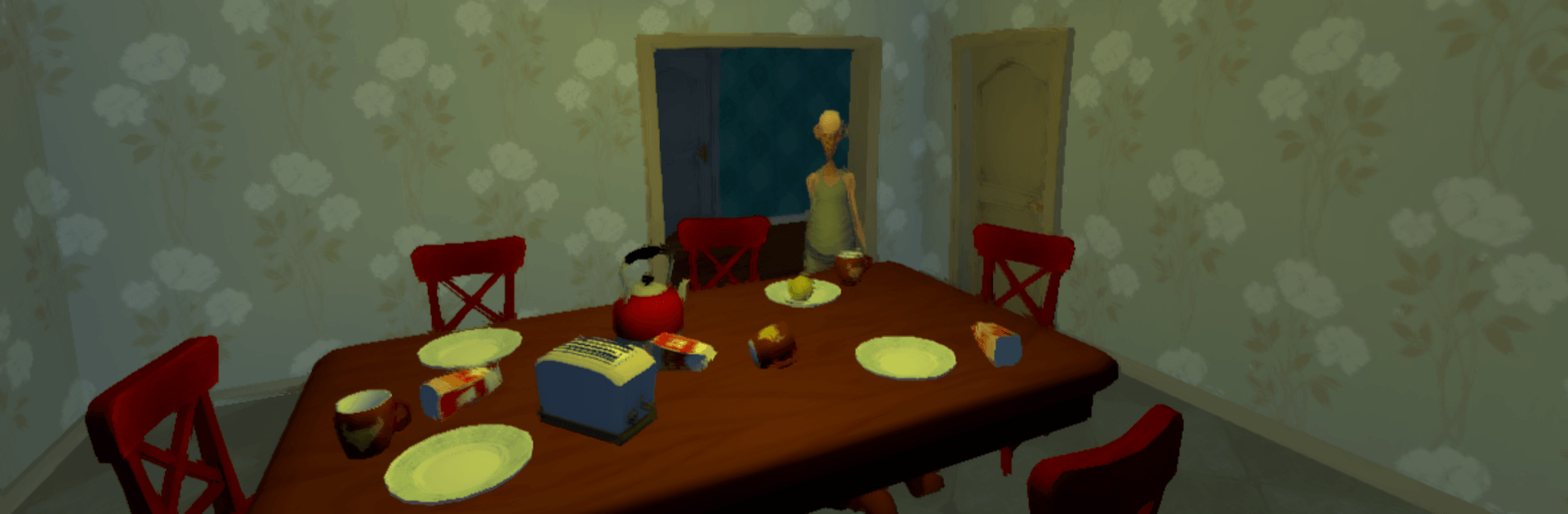
Scary Neighbor Horror 2

Scary Neighbor Horror 2

Adventure

| lazyastronaut

Play on PC with BlueStacks or from our cloud

  • Overview
  • Game Features
  • How to Play

Page Modified On: October 12, 2026

Play Scary Neighbor Horror 2 on PC or Mac

Explore a whole new adventure with Scary Neighbor Horror 2, a Adventure game created by lazyastronaut. Experience great gameplay with BlueStacks, the most popular gaming platform to play Android games on your PC or Mac.

About the Game

Scary Neighbor Horror 2 drops you back into a once-comfortable cul-de-sac that now feels anything but safe. This tense Adventure sequel is all about sneaking, snooping, and staying one step ahead of a neighbor who absolutely remembers you. Expect nerve-racking stealth, unsettling discoveries, and the constant question: how far are you willing to go to learn the truth?

Game Features

  • Smarter Predator: The neighbor reacts to noise, light, and your patterns—change your approach or he’ll corner you fast.
  • Stealth That Counts: Crouch, peek, and use hiding spots to keep a low profile; distractions buy time when a clean escape isn’t an option.
  • Clues and Keys: Gather notes, evidence, and odd little items that unlock new rooms and stitch together what really happened on this street.
  • Heart-Pounding Chases: Get spotted and the tone flips—memorize routes, slam doors, and use shortcuts to shake the pursuit.
  • Tools You Can Trust: Your flashlight is your lifeline in pitch-black spaces, and simple gadgets help you slip past locks and barriers.
  • Multiple Routes, Different Risks: There isn’t just one “right” path—choose how to break in, where to search, and which secrets to chase.
  • Uneasy Atmosphere: Moody lighting and sharp sound cues turn basements, attics, and backyards into traps for the careless.
  • Sequel-Scale Tension: New spaces, tougher patrols, and higher stakes make returns to familiar corners feel anything but routine.
  • Play on PC: Prefer a bigger view and precise control? BlueStacks lets you explore the neighborhood with a little more confidence.

Start playing Scary Neighbor Horror 2 on BlueStacks and get a smoother, more comfortable PC or Mac setup.


Game Features

Enhancements

  • Macros
  • Multi Instance
  • Multi Instance Sync
  • Script
  • Enhancements
Macros

Macros

Automate the predictable in Scary Neighbor Horror 2 and transform your gameplay with Macros. Get access to inventive Macros in the BlueStacks Macro Community
Multi Instance

Multi Instance

Play Scary Neighbor Horror 2 on one window. And chat with your friend on the other. Press CTRL + Shift + 8 to open the Multi-Instance Manager. And start creating fresh instances or clone an existing one.
Multi Instance Sync

Multi Instance Sync

Play Scary Neighbor Horror 2 with the power of Multi-Instance Sync. Replicate what you are doing on the main instance on all other instances. Level up faster, play more.
Script

Script

Script your way to gaming glory in Scary Neighbor Horror 2 with BlueStacks Script. Write and run a set of commands to automate repeated tasks. Trigger the command by assigning it to any key.
Read More

How to Download and Play Scary Neighbor Horror 2 on PC or Mac

  • Download and install BlueStacks on your PC or Mac

  • Complete Google sign-in to access the Play Store, or do it later

  • Look for Scary Neighbor Horror 2 in the search bar at the top right corner

  • Click to install Scary Neighbor Horror 2 from the search results

  • Complete Google sign-in (if you skipped step 2) to install Scary Neighbor Horror 2

  • Click the Scary Neighbor Horror 2 icon on the home screen to start playing

video
Watch Video

Minimum System Requirements

With BlueStacks 5, you can get started on a PC that fulfills the following requirements.

  • Operating System

    Microsoft Windows 7 or above, macOS 11 (Big Sur) or above

  • Processor

    Intel, AMD or Apple Silicon Processor

  • RAM

    at least 4GB

  • HDD

    10GB Free Disk Space

Note:

* You must be an Administrator on your PC. Up to date graphics drivers from Microsoft or the chipset vendor.

Scary Neighbor Horror 2 - FAQs

  • How to play Scary Neighbor Horror 2 on Windows PC & Mac?

    Play Scary Neighbor Horror 2 on your PC or Mac by following these simple steps.

    • Click on 'Play Scary Neighbor Horror 2 on PC’ to download BlueStacks
    • Install it and log-in to Google Play Store
    • Launch and play the game.
  • Why is BlueStacks the fastest and safest platform to play games on PC?

    BlueStacks respects your privacy and is always safe and secure to use. It does not carry any malware, spyware, or any sort of additional software that could harm your PC.

    It is engineered to optimize speed and performance for a seamless gaming experience.

  • What are Scary Neighbor Horror 2 PC requirements?

    Minimum requirement to run Scary Neighbor Horror 2 on your PC

    • OS: Microsoft Windows 7 or above MacOS 11 (Big Sur) or above
    • Processor: Intel, AMD or Apple Silicon Processor
    • RAM: Your PC must have at least 4GB of RAM. (Note that having 4GB or more disk space is not a substitute for RAM)
    • HDD: 10GB Free Disk Space.
    • You must be an Administrator on your PC.